6 Critical Ways to Fix AI Production Environment Mismatch (2026)
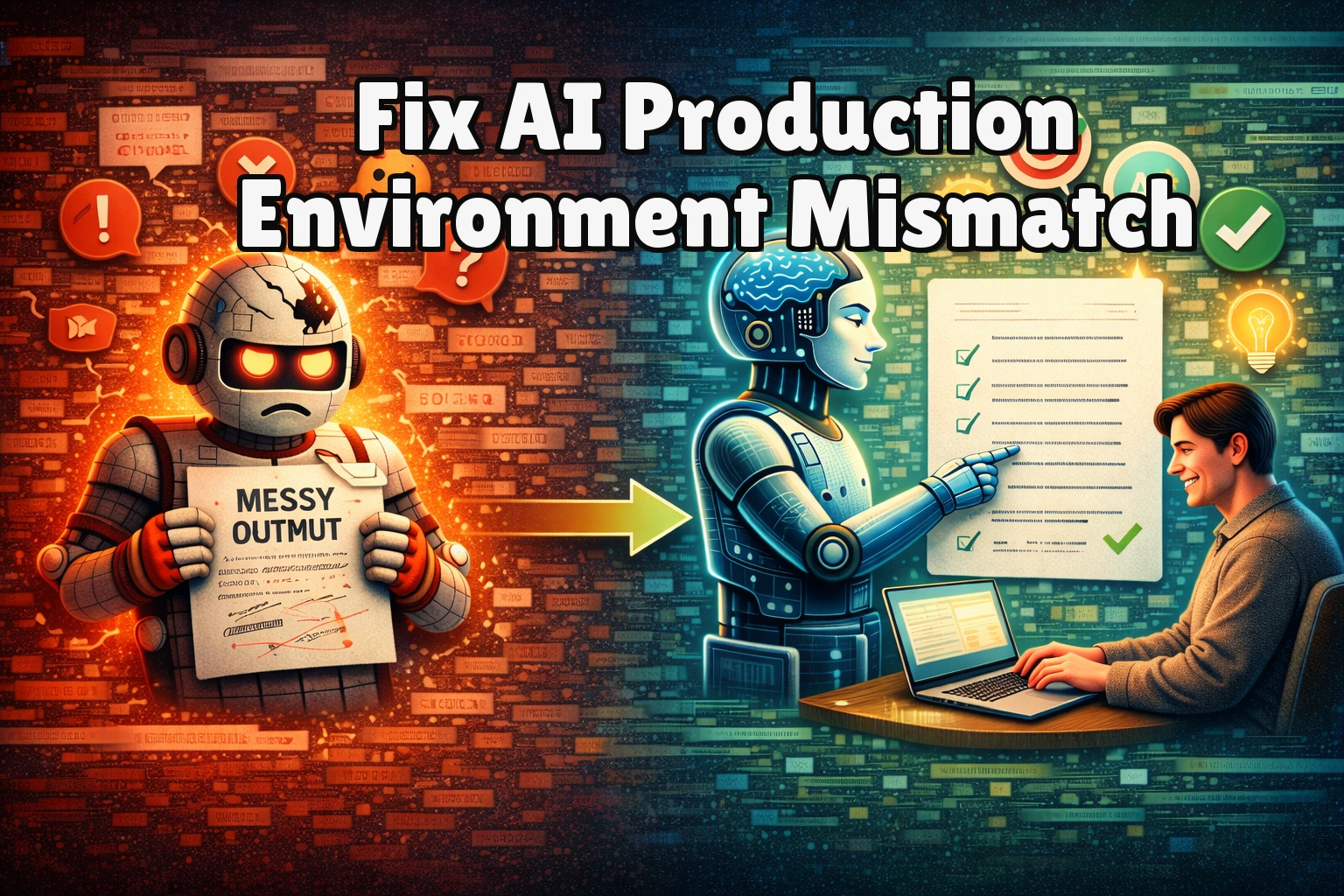
You’ve trained a high-performing AI model, but the moment it hits production, everything falls apart. Predictions are wrong, latency spikes, or the service crashes entirely. This frustrating scenario—an AI production environment mismatch—occurs when your model’s development conditions diverge from the live deployment reality. An AI production environment mismatch is the primary reason machine learning projects fail to deliver value after months of work. This disconnect can stem from data differences, software dependencies, or infrastructure configurations. In this guide, we detail six critical, actionable fixes to bridge this gap. By systematically addressing these deployment pitfalls, you can ensure your models transition from the lab to live systems reliably and maintain their intended performance.
What Causes AI Production Environment Mismatch?
Effectively resolving a deployment failure requires understanding its root cause. An AI production environment mismatch isn’t a single bug but a category of integration failures between your development pipeline and the operational world.
-
Data Distribution Shift:
This is the most common culprit behind an AI production environment mismatch. The statistical properties of the live production data differ from your training and validation sets. This includes covariate shift (input feature distribution changes) and concept drift (the relationship between inputs and outputs changes), both of which cripple model accuracy. -
Dependency and Version Inconsistency:
Your model depends on specific library versions (e.g., TensorFlow 2.15.0, scikit-learn 1.3.2). A mismatch in even a minor version in production can alter default behaviors, random seeds, or model loading logic, leading to silent, incorrect predictions or outright failure. -
Configuration & Environment Variable Discrepancies:
Hard-coded paths, missing API keys, incorrect database connection strings, or differing compute resources between environments cause runtime errors. The model may not find necessary files or have the resources to execute efficiently. -
Preprocessing/Feature Engineering Pipeline Breaks:
The code that transforms raw data into model-ready features must be identical in training and serving. A preprocessing AI production environment mismatch—such as different imputation strategies, scaling parameters, or tokenizers—means the model receives fundamentally different input, guaranteeing faulty outputs.
Identifying which of these causes is behind your specific AI production environment mismatch is the first step toward applying the correct fix from the list below.
Fix 1: Containerize Your Model with Docker
This fix directly addresses dependency and OS-level inconsistencies that cause AI production environment mismatch by packaging your model, its code, and all libraries into a single, portable unit. A Docker container ensures the runtime environment is identical from your laptop to the production server, eliminating “it works on my machine” syndrome.
-
Step 1:
Create aDockerfilein your project root. Start with a base image that matches your framework, likeFROM python:3.9-slimfor a Python model. -
Step 2:
UseCOPYcommands to add your model artifact (e.g.,model.pkl), inference script (serve.py), and a frozenrequirements.txtfile (generated viapip freeze > requirements.txt) into the container. -
Step 3:
In theDockerfile, runRUN pip install -r requirements.txtto install all exact library versions. Set the default command to launch your inference API, e.g.,CMD ["python", "serve.py"]. -
Step 4:
Build the image (docker build -t my-model:latest .) and test it locally. This same image can now be deployed to any cloud service (AWS ECS, Google Cloud Run, Azure Container Instances) with environmental parity guaranteed, .
After deployment, your model will run in an isolated environment with locked dependencies, removing a major source of AI production environment mismatch. You should see consistent behavior regardless of the underlying host system.
Fix 2: Implement Rigorous Data Schema Validation
This fix targets the data-driven AI production environment mismatch caused by distribution shift and preprocessing breaks by enforcing a contract for incoming production data. Validation acts as a first line of defense, catching mismatches before corrupted data reaches your model and causes erroneous predictions or crashes.
-
Step 1:
Define a strict schema for your model’s expected input. Use a library like Pydantic or Great Expectations. Specify data types (e.g.,float32), allowed value ranges, categorical value sets, and nullability rules for every feature. -
Step 2:
Integrate this validation step at the very beginning of your production inference pipeline. Immediately after receiving a prediction request, pass the input data through the schema validator. -
Step 3:
Configure the validator to log detailed errors and reject invalid requests with a clear 400-level HTTP error, rather than attempting to process them. This surfaces the issue immediately rather than silently corrupting results. -
Step 4:
Set up monitoring on the validation error rate. A sudden spike indicates a drift in the incoming production data stream, alerting you to a potential AI production environment mismatch that needs investigation.
With this guardrail in place, you prevent garbage-in-garbage-out scenarios and gain visibility into how your production data evolves, allowing for proactive model updates .
Fix 3: Standardize with a Model Registry and Feature Store
This fix eliminates inconsistencies in the model artifact and the features it uses—two common triggers of AI production environment mismatch. A model registry version-controls trained models, while a feature store ensures the same feature calculation logic is used for training and inference, closing a critical gap in the ML pipeline.
-
Step 1:
Adopt a model registry tool like MLflow Model Registry, DVC, or a cloud-native option. After training, log the model artifact, its metadata, and the exact code version used to create it. -
Step 2:
Promote the model through stages (Staging → Production) in the registry. Your production system should only load models explicitly marked as “Production,” ensuring a controlled, auditable deployment free of AI production environment mismatch from stale artifacts. -
Step 3:
Implement a feature store (e.g., Feast, Tecton). During training, write feature transformation code that pulls and calculates features from raw data, storing the results in the feature store. -
Step 4:
In production, configure your inference service to use the same feature store client and transformation logic to retrieve or compute features for live predictions, guaranteeing identical input feature vectors and eliminating this class of AI production environment mismatch.
This creates a single source of truth for both your model binaries and your feature definitions, directly combating the AI production environment mismatch caused by ad-hoc, duplicated logic.
Fix 4: Enforce CI/CD with Environment-Specific Configuration
This fix eliminates configuration drift—a persistent source of AI production environment mismatch—by automating and standardizing deployments. A robust CI/CD pipeline ensures every model promotion uses the correct, version-controlled settings for each environment, preventing manual errors that cause runtime failures.
-
Step 1:
Store all configuration (API endpoints, database URLs, feature store connections) in environment-specific files (e.g.,config_prod.yaml) within your version control system, never hard-coded in the model code. -
Step 2:
In your CI/CD pipeline (e.g., GitHub Actions, GitLab CI), create separate deployment jobs for staging and production. Each job must inject the correct configuration file as a build artifact or environment variable. -
Step 3:
Automate the container build and push process within the pipeline. Use the pipeline to tag the Docker image with the Git commit hash and the target environment (e.g.,my-model:prod-a1b2c3d). -
Step 4:
Configure the pipeline to deploy the newly built and configured container directly to the target environment’s orchestration service (Kubernetes, ECS), completing the hands-off promotion and guaranteeing no AI production environment mismatch from manual steps.
Success means zero manual configuration steps during deployment, guaranteeing an identical and repeatable setup process that directly counters the core AI production environment mismatch.
Fix 5: Deploy a Shadow Mode & Canary Release Strategy
This fix mitigates risk by detecting AI production environment mismatch before it impacts users. Shadow mode validates model behavior against live traffic in a read-only manner, while canary releases limit the blast radius of any undetected issues.
-
Step 1:
For shadow deployment, route a copy of all live inference requests to your new model version running in parallel. Log its predictions but do not return them to users. Compare its outputs and performance metrics (latency, memory) against the current champion model. -
Step 2:
Analyze the logs for discrepancies in prediction distribution, error rates, or resource usage. Any significant divergence signals a potential AI production environment mismatch that needs investigation before a full launch. -
Step 3:
If shadow results are stable, initiate a canary release. Update your load balancer or service mesh to send a small percentage (e.g., 5%) of live traffic to the new model, serving its predictions to real users. -
Step 4:
Closely monitor key business and system metrics (error rate, user engagement, 99th percentile latency) for the canary group. Only proceed to a full rollout if all metrics remain within acceptable thresholds, for a defined period.
This controlled, data-driven rollout gives you confidence that your model operates correctly in the real-world setting, catching AI production environment mismatch issues that lab tests miss.
Fix 6: Establish Continuous Performance Monitoring & Retraining Triggers
This fix addresses the inevitable model decay caused by data drift—post-deployment. Proactive monitoring detects performance degradation in real-time, and automated retraining pipelines restore model accuracy, closing the feedback loop.
-
Step 1:
Instrument your production inference service to log essential metrics: per-request input/output, prediction latency, and, where possible, the actual ground truth label when it becomes available. -
Step 2:
Set up a dashboard and alerts for key performance indicators (KPIs). Monitor for statistical drift in input features (using a tool like Evidently AI) and a drop in business metrics (e.g., accuracy or precision as defined in MLOps best practices). -
Step 3:
Define automated retraining triggers. For example, if the feature drift score exceeds a threshold or model accuracy falls below a service-level objective (SLO) for 24 hours, trigger a pipeline to retrain the model on fresh data to resolve the AI production environment mismatch caused by concept drift. -
Step 4:
Integrate this retraining pipeline with your model registry (Fix 3) and CI/CD (Fix 4). The new model should be validated, versioned, and promoted through staging via shadow mode (Fix 5), creating a fully automated lifecycle.
Success is a self-correcting system where performance dips automatically trigger remediation, making your model resilient to the evolving conditions that cause AI production environment mismatch over time.
When Should You See a Professional?
If you have systematically applied all six fixes—from containerization to automated monitoring—and still face persistent, unexplained prediction errors or system instability, the AI production environment mismatch may transcend configuration and point to a deeper architectural or infrastructure problem.
This scenario often indicates a fundamental incompatibility at the systems level, such as a hardware acceleration mismatch (e.g., a model compiled for a specific GPU tensor core architecture failing on a different generation), deep OS-level kernel conflicts, or a corrupted underlying orchestration layer like Kubernetes. Attempting further DIY fixes on this level of AI production environment mismatch can be time-consuming and risky, potentially leading to extended downtime or data integrity issues. Professional MLOps engineers have the diagnostic tools and experience to perform deep system profiling, audit cluster networking and security policies, and rebuild the deployment pipeline from first principles.
Engage your cloud provider’s machine learning specialist support, contract with a dedicated MLOps consultancy, or escalate to your organization’s infrastructure team for a thorough architectural review.
Frequently Asked Questions About AI Production Environment Mismatch
Can’t I fix an AI production environment mismatch by retraining on more recent data?
Retraining on new data addresses only one potential cause of AI production environment mismatch—data drift—and is often a reactive, incomplete solution. A true AI production environment mismatch can also stem from software dependency conflicts, incorrect preprocessing in the serving code, or memory allocation differences that retraining does not touch. Before retraining, you must first ensure the deployment pipeline itself is sound. Otherwise, you risk deploying a newly trained model into the same broken environment. Diagnose the root cause using validation and monitoring (Fixes 2 & 6) before assuming more data is the cure.
How do I choose between a real-time API and batch inference to avoid AI production environment mismatch?
The choice hinges on your business latency requirements and the complexity of your feature pipeline. Real-time APIs are susceptible to latency spikes and resource contention mismatches, requiring robust autoscaling and dependency management. Batch inference is often more forgiving of environmental inconsistencies but introduces prediction lag. To minimize AI production environment mismatch, design your feature engineering and model serving architecture consistently for your chosen paradigm; a common pitfall is using batch-only feature computation logic in a real-time API, causing timeouts or missing data.
We use a managed cloud AI service (like SageMaker or Vertex AI). Can we still experience AI production environment mismatch?
Yes, absolutely. Managed services reduce but do not eliminate the risk of AI production environment mismatch. You are still responsible for ensuring the model artifact you upload is compatible with the service’s container runtime, that your training and inference code handles the service’s input/output formats correctly, and that any custom dependencies are explicitly specified. The mismatch often manifests within your own code and data passed to the managed endpoint, not in the underlying platform. You must still implement data validation, version your models, and monitor for drift.
What is the single most important metric to monitor for catching an AI production environment mismatch early?
While business metrics like accuracy are ultimate goals, the most sensitive leading indicator of AI production environment mismatch is often the distribution of your model’s input features compared to the training set. A sudden shift in feature means, medians, or the appearance of novel categories signals that the model is operating on fundamentally different data. Monitoring tools that calculate statistical drift (like Population Stability Index or Jensen-Shannon divergence) on live traffic provide an early warning of AI production environment mismatch, often before downstream accuracy metrics visibly drop, giving you crucial time to investigate the data pipeline or trigger retraining.
Conclusion
Ultimately, resolving an AI production environment mismatch is not about a single silver bullet but implementing a cohesive system of safeguards. By containerizing dependencies, validating data schemas, centralizing assets with a model registry, automating deployments, employing safe rollout strategies, and establishing continuous monitoring, you build a resilient bridge between development and production. This systematic approach transforms AI production environment mismatch from a fragile, error-prone event into a reliable, repeatable engineering process that maintains model integrity and performance.
We encourage you to start with the fix that addresses your most immediate pain point, then progressively layer on the others to build maturity. Share your experience in the comments below—which strategy was most effective for your team? If this guide helped you navigate a tricky deployment, consider sharing it with a colleague facing similar machine learning operationalization challenges.
Visit
TrueFixGuides.com
for more.