unable to contact Credit Karma please try again later needs a diagnosis before a reset. The safest route is to identify whether the failure comes from the device, application, account, network, or provider service, then change one layer at a time. This guide gives you that sequence and explains what each result means.
Start by deciding whether Credit Karma is unavailable for everyone, unreachable only on your connection, broken only in the app, or refusing the account session. Try the official website, switch between Wi-Fi and mobile data, update the app, and use the official recovery route before deleting data or creating a replacement account.

Table of Contents
Table of contents
What unable to contact Credit Karma please try again later means
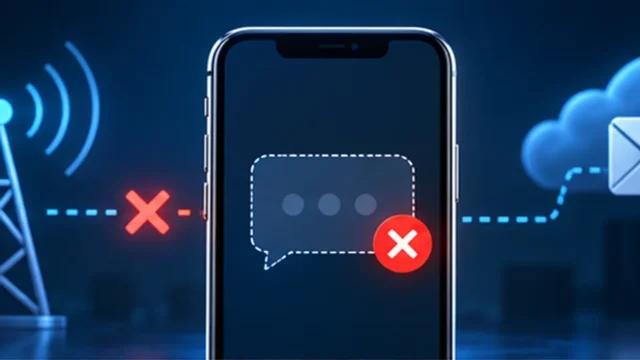
The message is a connectivity wrapper. It does not identify whether the failure occurs in Credit Karma’s service, the local connection, the app session, or authentication. Because the account can include sensitive financial information, the repair should preserve the original account and use only official support channels.
This guide addresses the U.S. Intuit Credit Karma website and mobile app. It does not repair credit-report data, change a credit score, or resolve a lender decision. Canadian services and other Intuit products may have different recovery routes. Scope label: Credit Karma unable to connect.
Symptoms and quick diagnosis
Confirm that you are solving the same problem before applying a fix. unable to contact Credit Karma please try again later can look similar to several unrelated failures, and the correct next step depends on what still works.
- “Unable to contact Credit Karma. Please try again later” appears.
- The app loads a blank page or spins before login.
- The website works while the mobile app fails.
- The error changes when switching networks.
- The official login page reports a temporary technical issue.
A clean diagnosis compares service availability, website versus app, and one alternate network without changing account identity. Avoid repeated password resets or replacement accounts until basic connectivity is confirmed. Diagnostic label: Credit Karma unable to connect.
Quick diagnostic checklist
- Type creditkarma.com directly.
- Check whether the official login page loads.
- Switch once between Wi-Fi and mobile data.
- Confirm automatic date and time are correct.
- Update the Credit Karma app from the official store.
- Keep access to the registered email and phone.
Before changing anything
Do not post credit reports, Social Security numbers, dates of birth, account screenshots, or verification codes. If the original account includes Credit Karma Money or locked credit features, do not replace it without official support guidance. Baseline: Credit Karma unable to connect.
For Credit Karma unable to connect, save work and record the exact message, time, version, and last successful action. Keep screenshots private. Do not share passwords, one-time codes, recovery keys, API keys, financial details, device serial numbers, or unredacted logs.
Use official downloads and support channels when investigating Credit Karma unable to connect. If a step changes stored data, account access, drivers, firmware, network profiles, or recovery state, read its safety note first and keep a way back.
unable to contact Credit Karma please try again later: step-by-step fixes
Work from the first Credit Karma unable to connect check downward. The order deliberately starts with reversible checks and leaves resets, reinstallations, recovery operations, and hardware service until the evidence justifies them.
1. Check the official website before changing the app
The web login is an independent comparison that can separate a provider-wide incident from a mobile-app problem. Open the official address manually and look for a maintenance or technical-issue message. If both web and app fail at the same time, preserve the session and wait rather than reinstalling repeatedly.
- Open creditkarma.com or the official support login page.
- Try loading the sign-in screen without submitting credentials repeatedly.
- Wait and retry later if Credit Karma displays a technical-issue notice.
Expected result: A working website proves the account service is reachable and focuses attention on the app.
Safety or rollback note: Use the exact official domain; financial-account phishing pages often imitate login screens.
Test unable to contact Credit Karma please try again later again before continuing. A changed result identifies the layer that was responsible and prevents unnecessary later resets.
2. Compare Wi-Fi and mobile data
A DNS filter, VPN, proxy, captive portal, or unstable route can block some requests while ordinary browsing still works. Switch to one other trusted connection and repeat the same page or app action. The comparison is more informative than resetting every network setting immediately.
- Turn off a consumer VPN for one controlled test.
- Switch from Wi-Fi to your own mobile data, or the reverse.
- Reload the official login and record which connection succeeds.
Expected result: If one connection works, the account and service are probably healthy.
Safety or rollback note: Do not use public Wi-Fi for financial-account recovery or transmit credentials through an untrusted network.
Test unable to contact Credit Karma please try again later again before continuing. A changed result identifies the layer that was responsible and prevents unnecessary later resets.
3. Set automatic date and time
Authentication tokens and encrypted connections depend on an accurate device clock. A manually incorrect date, time, or time zone can make a legitimate session appear expired or invalid. Automatic settings are reversible and should be checked before clearing account data.
- Open the device Date & time settings.
- Enable automatic date, time and time zone.
- Restart the app and try one sign-in.
Expected result: A successful login after clock correction confirms a token-validation problem.
Safety or rollback note: If a managed device prevents the change, contact its administrator rather than bypassing policy.
Test unable to contact Credit Karma please try again later again before continuing. A changed result identifies the layer that was responsible and prevents unnecessary later resets.
4. Update the official Credit Karma app
An older app can use an expired interface or authentication component. Check the publisher and update through Apple’s App Store or Google Play. Also install stable operating-system updates that the store lists as required. Avoid APK download sites and unofficial “fixed” versions.
- Open the official app store and find Intuit Credit Karma.
- Verify the publisher and install the available update.
- Restart the phone before testing again.
Expected result: The app should reach the current login and account endpoints without the wrapper error.
Safety or rollback note: Do not install financial apps from third-party stores or configuration profiles.
Test unable to contact Credit Karma please try again later again before continuing. A changed result identifies the layer that was responsible and prevents unnecessary later resets.
5. Clear only temporary app cache first
On Android, cached web content or a stale network response can survive an update. Clearing cache removes temporary files without intentionally erasing the full account session. On iPhone, close the app and restart first because iOS does not expose the same cache control.
- Android: Settings > Apps > Credit Karma > Storage & cache.
- Choose Clear cache, not Clear storage, and reopen the app.
- iPhone: force-close the app, restart the phone and test again.
Expected result: If the app reconnects, corrupted temporary data caused the failure.
Safety or rollback note: Clear storage or reinstall only after confirming recovery access because both may sign you out.
Test unable to contact Credit Karma please try again later again before continuing. A changed result identifies the layer that was responsible and prevents unnecessary later resets.
6. Test a private browser window
If the website fails in a normal browser, a private window tests clean cookies and extension behavior without destroying the current profile. Success there points to site data, a content blocker, or privacy extension. Remove only Credit Karma site data and re-enable extensions carefully.
- Open a private or incognito browser window.
- Visit the official Credit Karma login directly.
- If it works, clear only creditkarma.com cookies in the normal profile.
Expected result: A private-window success identifies a browser-profile problem.
Safety or rollback note: Private browsing does not make a public or compromised network safe.
Test unable to contact Credit Karma please try again later again before continuing. A changed result identifies the layer that was responsible and prevents unnecessary later resets.
7. Use the official account-recovery route
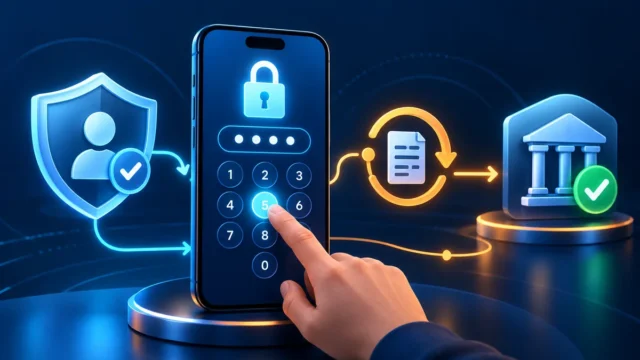
A contact error can mask an expired or invalid account session. Instead of submitting the password repeatedly, use “Can’t log in” or “Try another way” on the official sign-in page. Keep the original email and phone available, and answer identity questions only inside Credit Karma’s protected flow.
- Open the official login page and select the recovery option.
- Use the email address associated with the original account.
- Complete phone or identity verification without sharing codes.
Expected result: Recovery should establish a fresh authenticated session or identify an account-specific block.
Safety or rollback note: Do not create a replacement account when the original includes Credit Karma Money or credit-lock features.
Test unable to contact Credit Karma please try again later again before continuing. A changed result identifies the layer that was responsible and prevents unnecessary later resets.
8. Reinstall only after web access is confirmed
If the website works, recovery details are current, and the app still fails after update and cache checks, reinstalling is a reasonable final local step. Removing the app does not delete the Credit Karma account, but it removes the local session and may require verification again.
- Confirm you can sign in through the official website.
- Remove the app and restart the phone.
- Reinstall from the official store and sign in once.
Expected result: A clean app installation should rebuild local files and authentication components.
Safety or rollback note: Do not reinstall if you cannot receive recovery codes or are unsure which account email was used.
Test unable to contact Credit Karma please try again later again before continuing. A changed result identifies the layer that was responsible and prevents unnecessary later resets.
9. Contact Credit Karma member support safely
When the website and app fail across trusted networks, or the account recovery flow cannot verify you, official member support is the correct endpoint. Describe the exact message and time without sending financial documents unless the protected support workflow specifically requests identity verification.
- Use the Contact us or support route on creditkarma.com.
- Provide device, app version, time and completed tests.
- Upload documents only through the official protected portal if requested.
Expected result: Support can distinguish a service incident from an account-access problem.
Safety or rollback note: Credit Karma support should never ask for your password or one-time code by unsolicited message.
Test unable to contact Credit Karma please try again later again before continuing. A changed result identifies the layer that was responsible and prevents unnecessary later resets.
Troubleshooting decision table
| What you observe | Most likely layer | Best next action |
|---|---|---|
| Website and app both fail | Provider service or connection | Check official notice and compare one trusted network. |
| Website works, app fails | App cache or version | Update, restart and clear temporary cache. |
| Private browser works | Cookies or extension | Clear only site data and isolate extensions. |
| Only one network fails | VPN, DNS or network filter | Use a trusted route or contact its administrator. |
| Recovery cannot verify identity | Account access | Use official member support. |
Use the Credit Karma unable to connect decision table to avoid repeating steps that cannot affect your symptom. If two rows appear to match, start with the one that requires the least invasive change.
When these fixes will not help
- A credit bureau has delayed or disputed report data.
- The user is outside a supported Credit Karma market.
- The account is locked for identity verification.
- A separate Intuit product is unavailable.
Escalate if the same error persists on the official website and app over two trusted connections, or when the recovery flow cannot verify the original account. Keep the case inside Credit Karma’s support portal. Case label: Credit Karma unable to connect.
How to prevent the problem
- Keep the registered phone and email current.
- Use the official app store and enable updates.
- Avoid financial logins over public Wi-Fi.
- Keep device date and time automatic.
- Maintain a password-manager record of the exact account email.
Prevention for Credit Karma unable to connect cannot eliminate provider outages or component failures, but it can preserve recovery options and make the next diagnosis much faster.
Frequently asked questions about unable to contact Credit Karma please try again later
Is Credit Karma down when this message appears?
Possibly, but the message also appears for local connection, app-session, and account problems. Compare the official website and one alternate trusted network.
Will reinstalling delete my Credit Karma account?
No, but it removes the local app session and you may need the original email, password, and verification method to sign back in.
Should I make a new Credit Karma account?
Usually not. A replacement can separate history and may be inappropriate if the original account includes money or credit-lock features.
Can a VPN cause the contact error?
Yes. Shared or filtered routes can interrupt authentication or service calls. Disable it briefly for a controlled test on a trusted connection.
Official sources and related guides
The Credit Karma unable to connect guidance in this article was checked against the following primary vendor resources. Interfaces and policies can change, so use the current vendor page when a label differs from your screen.
Continue with these related TrueFixGuides resources:
- Credit Karma login not working
- Credit Karma account locked
- Credit Karma verification code not received
In summary, unable to contact Credit Karma please try again later should be handled by identifying the failing layer, applying the least destructive relevant fix, and confirming the result before moving on. Stop when the normal test succeeds; more changes do not make a working system more repaired.