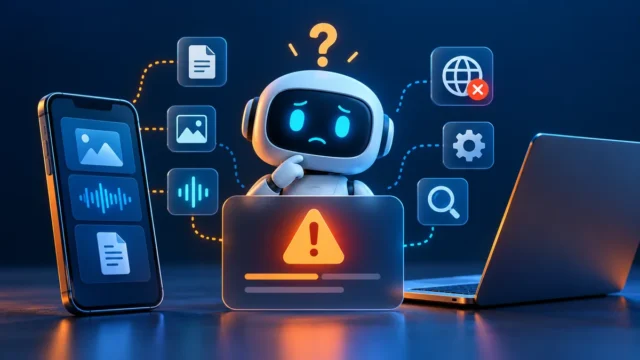
NotebookLM source upload error? Identify whether the failing source is a local file, a Google Drive document, a web page, or a YouTube video. Each route has different requirements, so replacing one kind of source with another can help isolate the issue.
Google renamed NotebookLM to Gemini Notebook in July 2026. This guide retains the familiar search term while using the current product documentation. The official announcement confirms that it remains a standalone research product.
1. Classify the NotebookLM source upload error
Before changing the source, record its type, size where relevant, and the exact error. Also note whether the source never appears or appears but cannot be used in an answer.
| Source | First comparison |
|---|---|
| Local document | Open it locally and test a small export. |
| Google Drive file | Confirm the same account can view it. |
| Web page | Check whether the important text is accessible. |
| YouTube video | Check public access and captions. |
| Imported source ignored | Check source selection and a known fact. |
Keep your original source intact while creating test copies. An import problem should not require losing the document you are trying to research.
2. Validate a local file before importing it again
For a NotebookLM source upload error involving a document, first open it in its normal application. Look for blank pages, an incomplete download, or a file that is only a shortcut to another location.
Google’s source documentation lists supported formats and limits. At review time, an uploaded source can be up to 200 MB or 500,000 words, with plan-dependent notebook source allowances.
Export a short, relevant section into a supported format and try that copy. If it works, compare the original’s structure and size. Do not treat a successful two-page test as proof that every page of the full file has been imported correctly.

3. Check Google Drive permissions and source freshness
A NotebookLM source upload error from Drive may concern access rather than the document’s contents. Open the original using the same Google account that is active in your notebook.
Google says Drive imports require viewing access. Losing access can make an imported source unavailable. Current documentation also describes automatic syncing and a manual sync option for supported Drive sources.
If you can read the original but the notebook shows older information, compare a known sentence or table value after syncing. Record which revision you expect. Ask the owner for access when needed; do not make a private work document public just to test an import.
4. Check what a web-page import can actually capture
For a NotebookLM source upload error from a web link, compare the material you need with the page’s accessible text. Google’s source guide says a web import uses that page’s text, not embedded media or every linked page, and does not support paywalled pages.
A practical test is to choose a short public page you are permitted to use. If that succeeds while the target page fails, investigate the target’s access or format rather than rebuilding your notebook.
If you have the right to use the material, an authorized document export may offer a clearer source. Keep its title, publication information, and original URL alongside it so references remain traceable.
5. Check captions when a YouTube source fails
A NotebookLM source upload error involving YouTube is not automatically a general upload failure. Google requires a public video with captions and imports its transcript. Very recent uploads may not yet be available for import.
Check that the link opens the intended video and that captions exist. Compare with an older public video that has a visible transcript. This separates a problem with one source from a problem affecting the notebook more broadly.
If the research depends on a visual chart that is never described aloud, do not assume the transcript contains its figures. Use an authorized source that includes the chart’s information and verify it directly.

6. Use a small control source to test the notebook
To isolate a persistent NotebookLM source upload error, create a short original note containing a unique fact, such as “The sample project’s meeting day is Thursday.” Import it using a supported text route.
Select that source and ask which meeting day it specifies. If the answer is correct, you have evidence that a simple source can be imported and referenced. That narrows the investigation, but it does not prove your larger source is complete.
For a source that imports but produces unsupported answers, see our AI hallucination guide. Review the cited passage before accepting an answer as grounded in your documents.
7. Verify the actual source and report reproducible failures
After resolving the NotebookLM source upload error, open the imported source and inspect information from more than its first page. Ask one question about a later section and compare the answer with the original.
If the problem remains, report the source type, approximate size, account type, browser or app version, and the exact stage that failed. Explain whether a small original text source succeeds. Share private source material only through an appropriate official support route.
Preserve a record of successful imports and document revisions for important research. Otherwise, a later edit can make it unclear which version supported an earlier answer.

NotebookLM source upload error: common questions
Did the rename remove my old notebooks?
Google describes Gemini Notebook as the continuation of NotebookLM. If content appears missing, verify the signed-in account before assuming the rename deleted it.
Does importing a video mean every visual detail is available?
No. A transcript-based source should be checked against the information actually spoken or captioned. Do not infer unseen chart values from an unrelated answer.
Should I recreate the entire notebook first?
Start with a small control source and targeted checks. Recreating everything before identifying the failing source type can waste time and obscure useful evidence.
For a NotebookLM source upload error, the strongest final check is an accurate answer tied to the intended source revision. Browse our AI Tools & Platforms guides for related issues.
Editorial note: Prepared with AI assistance from the linked official documentation, reviewed October 24, 2026. Illustrations and diagrams explain the workflow; they are not evidence of hands-on product testing. Account features and limits can change.